 RapidRAW
The 6,000 Line App.tsx: A React Refactoring Story
How I learned to stop passing props and implement Zustand.
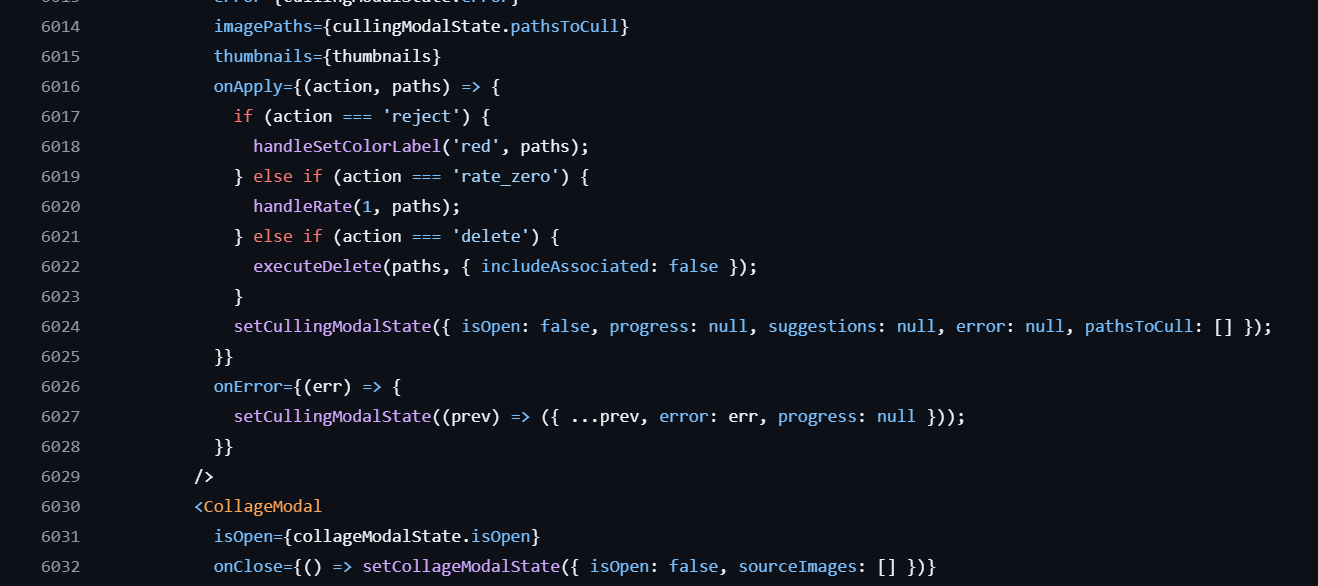
Every developer has a skeleton in their codebase. For a long time, mine was a single file named App.tsx.
If you opened the source code for RapidRAW just a few weeks ago, you would have found the entire core logic of the application sitting inside this one file. It was nearly 6,000 lines long. That is not an exaggeration. It was a chaotic mix of file operations, UI toggles, image processing logic, keyboard shortcuts, and state management all living in one giant room.
Surprisingly, it actually worked. But it was a ticking time bomb. Today I want to talk about how it got that bad, why it had to change, and how moving to a tool called Zustand completely transformed the codebase.
The "Just Make It Work" Phase
When I started building RapidRAW, I barely knew React. I had a vision for a fast RAW image editor, and I was learning how to code the frontend on the fly with the help of AI and Large Language Models.
When you learn this way, your priority is momentum. You ask the AI how to implement a feature, it gives you a chunk of code, and you paste it in. Need to keep track of the current zoom level? Add a useState hook to the top of the file. Need to handle a folder being renamed? Add another function to the pile.
Because I did not understand the importance of software architecture at the time, I just kept stuffing things into App.tsx. I ended up with dozens of state variables at the very top of my application, which I then had to pass down through endless layers of child components. In the React world, this is known as "prop drilling," and it is a great way to make your code impossible to read.
The Breaking Point
I managed to survive with this monolith for a surprisingly long time. But eventually, I hit a wall. Two walls, actually.
The first wall was performance. React updates your screen based on changes in "state". When state changes, React re-renders that component and all of its children. Because almost all of my state lived at the very top of the app, doing something as simple as opening a dropdown menu caused the entire 6,000 line application tree to think about re-rendering. The interface was becoming laggy.
The second wall was my code editor. I hit Ctrl + S to save and format my code, and absolutely nothing happened. The file had become so massive and complex that Prettier (the tool that automatically formats code) simply choked and gave up 😆. When your tools go on strike, you know you have a severe technical debt problem.
Enter Zustand
I knew I needed a global state manager. A global state manager takes all those variables out of your UI components and stores them in an independent location. Components can then "subscribe" only to the specific pieces of data they actually need.
I looked at a few options and decided on Zustand. It is incredibly lightweight, fast, and does not require a lot of boilerplate code to set up.
Once again, I used AI to help me, but this time my focus was entirely on architecture rather than just building features. We systematically ripped App.tsx apart and organized the chaos into five logical stores:
useEditorStore: Keeps track of everything happening on the canvas, like image adjustments, zoom levels, and undo history.useLibraryStore: Manages the file system, the folder tree, selected images, and sorting criteria.useUIStore: Controls the purely visual stuff. Is the app in fullscreen? How wide is the left panel? Are any modals currently open?useSettingsStore: Holds user preferences and application themes.useProcessStore: Manages background tasks like exporting images, generating thumbnails, and downloading AI models.
Why This Matters
The difference in the codebase is night and day.
If a user drags the panel resizer now, the useUIStore updates the width. Only the specific panel components listening to that exact width value will re-render. The image canvas, the thumbnail grid, and the metadata panel completely ignore it because they do not care. This drastically reduced the number of wasted calculations and made the UI feel fast again.
The refactor also made the code much easier to work on. My App.tsx file went from 6,000 lines down to a few hundred. Its only job now is to act as a clean wrapper that loads the main views. All the heavy work is neatly categorized in separate files. And yes, my code formatter works again ;).
Learning to code by jumping in and building things is incredibly effective because you get to see results fast. But eventually, you have to pay off your technical debt. If your application is slowing down or your IDE is crying for mercy, it might be time to step back, look at your architecture, and bring in the right tools for the job.
Back to all posts