 RapidRAW
Generative edits without a local GPU.
Cloud runs generative removal on remote GPUs so you don't need a high-end graphics card or complex local setup. The editor and local tools remain completely free. Cloud is purely an optional convenience.
Three ways to run AI
Pick based on your hardware and how much you want to set up. You can switch at any time in the settings.
Built-in
Small models that ship with the app and run on your CPU.
Self-hosted ComfyUI
Connect RapidRAW to a ComfyUI server on your own machine or network.
RapidRAW Cloud
Diffusion models on remote GPUs. Sign in and it works, nothing to install.
Side-by-side comparison
Local CPU inpainting is fast and effective for spot repairs. Cloud diffusion is designed to synthesize coherent repeating structures and complex perspectives.
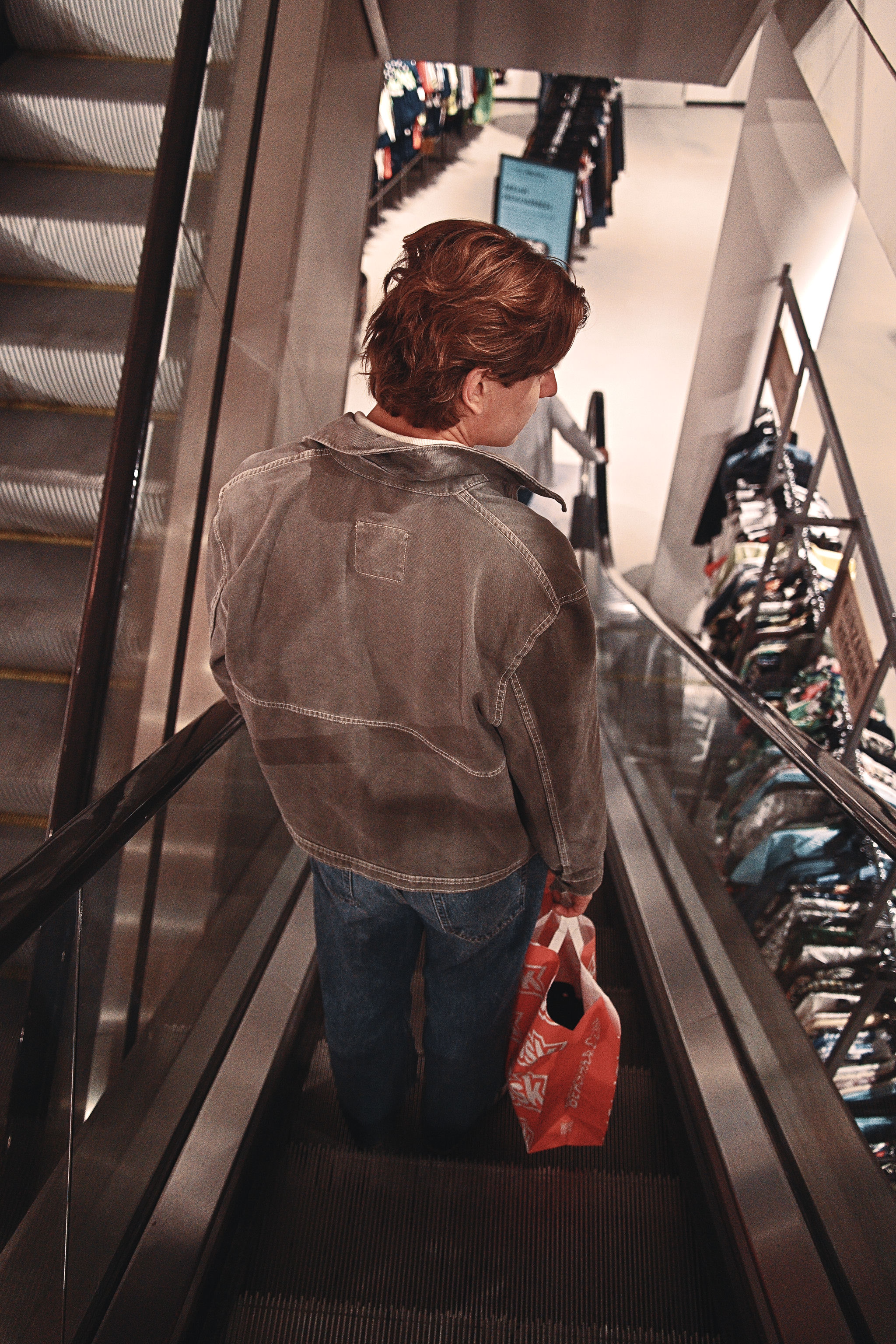
Complex Material Removal
Removing the red shopping bag while preserving the metallic grooves of the escalator. The local CPU engine smudges the pattern, while the Cloud model reconstructs the parallel ridges and directional shadow falloff.
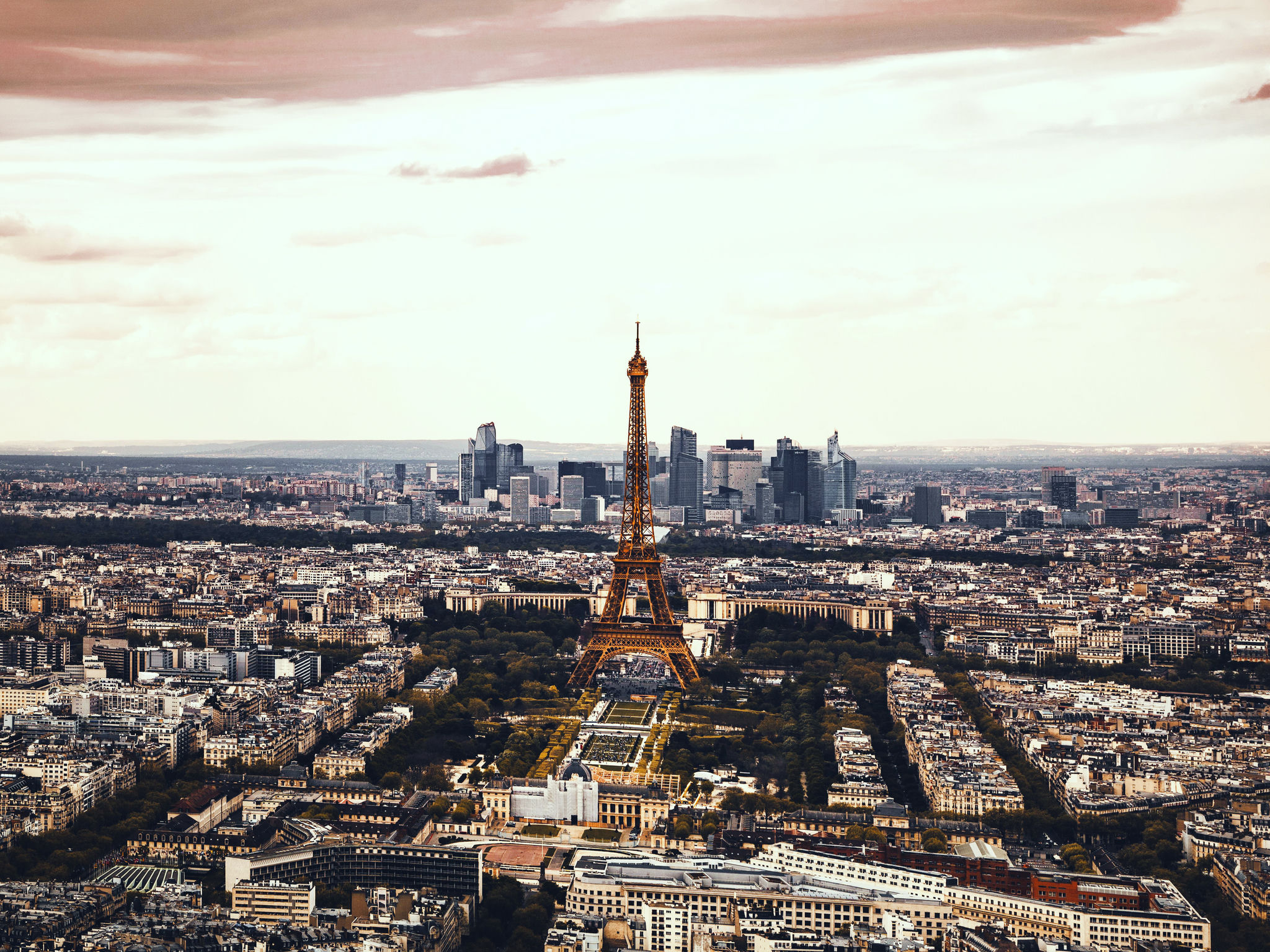
Large-Scale Structural Synthesis
Erasing the Eiffel Tower requires synthesizing city blocks and maintaining a level horizon line. The local model leaves blur artifacts across the skyline, while Cloud diffusion reconstructs plausible architecture.
What happens to your photo
Most web tools upload the whole image and hand back a compressed sRGB file. RapidRAW treats a Cloud edit as one more step in your RAW edit.
-
01
You mask the area
Brush over what should go, or select it with AI masking. Up to this point everything runs on your computer.
-
02
Only the patch is sent
The editor cuts out the masked area and uploads just that. Your full RAW file is never uploaded, so transfers stay small.
-
03
The GPU fills it in
The patch is processed by our AI provider and discarded once your result is returned. We don't store it, and we've configured our provider not to store it either.
-
04
It blends back in
The result is blended into your original at the pixel level, then saved in the .rrdata sidecar. The original file is untouched.
Why there is a paid option
I am building RapidRAW as an independent developer because modern photo software has become bloated, slow, and predatory. The app is open source and will always stay free for standard RAW editing, local adjustments, and spot repairs.
Generative diffusion is the only part that requires serious resources. Running state of the art models locally means huge checkpoint downloads, driver and Python setup, and an expensive GPU.
If you already have that hardware and enjoy managing your own stack, the built-in ComfyUI connector lets you run everything on your own machine for free. Cloud is simply the convenience option: it skips the setup, maintenance, and hardware requirements entirely.
RapidRAW has no venture funding, no corporate sponsors, and no ads. Subscriptions cover the remote GPU compute bills and give me the runway to keep developing the editor full time.
Simple monthly billing, tax included. Cancel at any time with two clicks from your account dashboard.
Sign in to subscribe- 200 cloud edits each month
- No local dedicated GPU required
- One-click toggle back to local CPU tools if quota is reached
- We don't store your photos, and our AI provider is instructed not to either
- Directly funds independent open-source development
Payments and tax compliance handled by Lemon Squeezy.
Does RapidRAW stay open source and free?
Yes. RapidRAW is licensed under AGPL-3.0 and the whole desktop editor is free. Editing, curves, masking, camera tethering, and local CPU inpainting all work without an account. Cloud only adds remote GPU processing for generative edits.
Are my photos stored or used to train AI models?
We don't store your photos, and we've configured our AI infrastructure provider not to store them either. Only a crop around the masked area is sent, not your full image. Our model provider's API terms also rule out training on content sent through the API, except for requests its safety checks flag as prohibited. See our Privacy Policy for the full processing chain.
What happens when I use all 200 edits?
Nothing gets locked. If you reach the limit, you can easily switch the inpainting tool back to the local CPU engine with one click.
Can I run these models on my own GPU?
Yes. RapidRAW supports self-hosted ComfyUI out of the box. If you have the hardware and prefer running your own local server, you can do so for free. Cloud is for anyone who wants the same quality without maintaining models, drivers, or local environments.
How does cancelling work?
Cancel from the customer portal whenever you like. There is no minimum term and no "are you sure" maze. Your remaining edits stay usable until the end of the current billing month.