 RapidRAW
RapidRAW Documentation
Welcome. This is the complete guide to RapidRAW, a beautiful, non-destructive, GPU-accelerated RAW editor for Windows, macOS, and Linux.
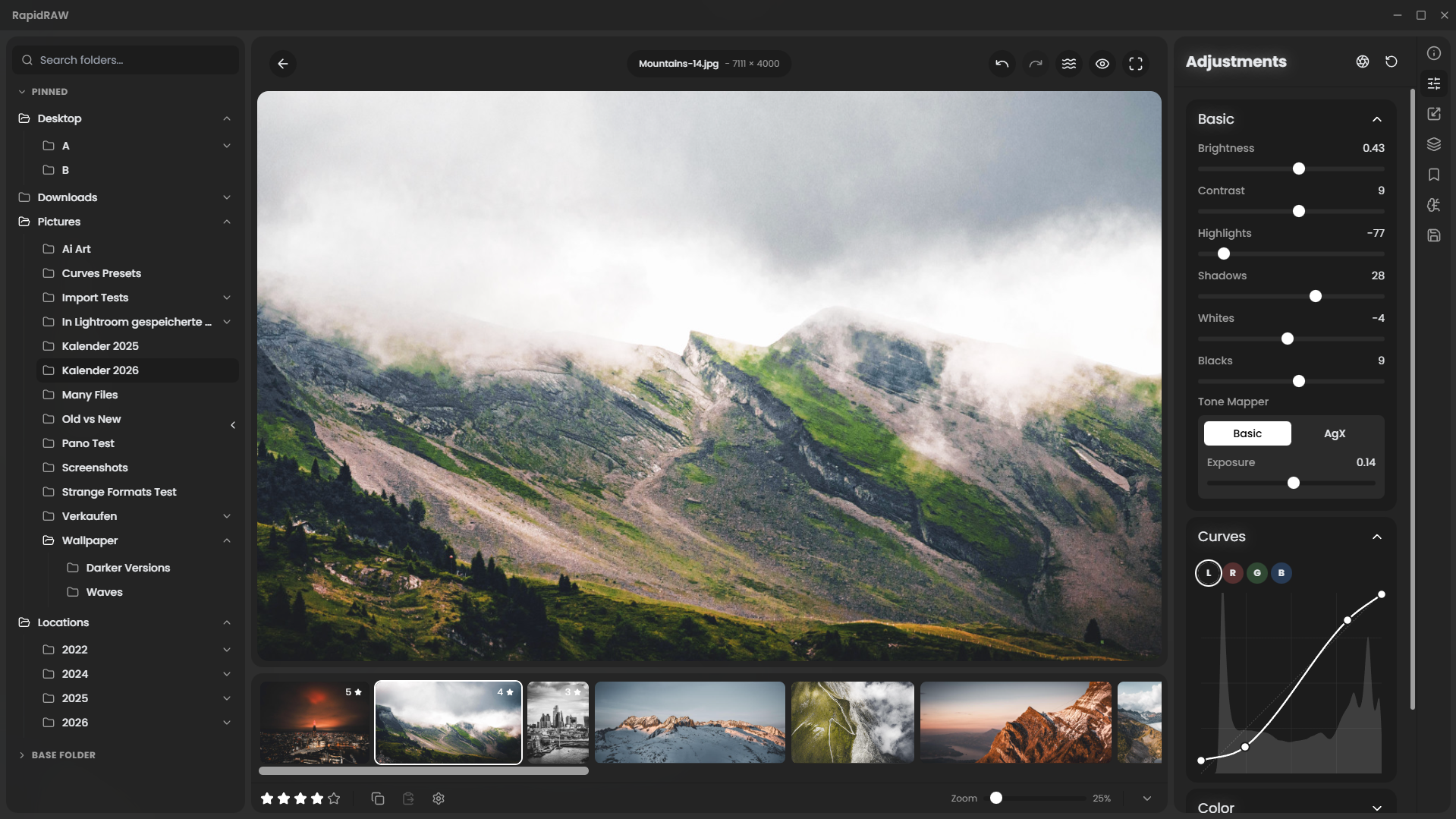
The docs are organized so you can either follow the Getting Started path end to end, or jump straight to a Reference page when you need a specific slider explained.
Getting StartedInstall RapidRAW, take the tour, and edit your first photo.
AdjustmentsEvery slider, every panel, what it does and how it behaves.
TutorialsWalk-throughs of complete photo edits, before and after.
Quick links
- Keyboard Shortcuts for the shortcuts that make RapidRAW fast.
- Masks for AI subject, sky, depth, brush, gradients, and how to combine them.
- Troubleshooting for fixing common install and runtime issues per OS.
- File Formats for every supported RAW format and every export option.
- Glossary for RapidRAW-specific terms in one place.
How these docs are organized
The sidebar is the table of contents. Pages are short and focused; most reference pages are scannable in under a minute.
Each page that documents UI tied to a specific RapidRAW version carries a small "Verified in vX.Y.Z" badge at the top. If you're on a newer version and notice something out of date, open an issue.
Need more help?
- GitHub Discussions for questions and feature ideas.
- Discord to chat with the community.
- Report a bug. Please include your OS, RapidRAW version, and a log file when possible. See Filing a Bug Report for the template.