 RapidRAW
Geometry, Merging & Export
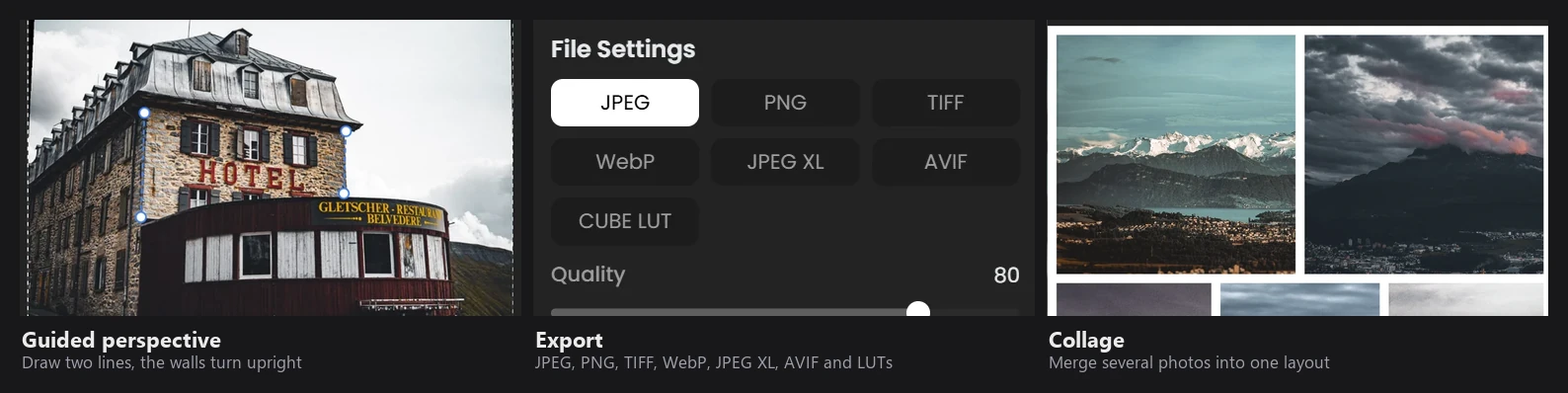
Everything on this page runs on the CPU.
Lens correction
RapidRAW ships with the Lensfun database (59 XML files).
Finding your lens: the lens name from EXIF is fuzzy-matched against lenses of the same maker. If that fails, all makers are searched. For fixed-lens cameras, the lens is found through the camera's mount.
Choosing the calibration:
| Correction | How the values are chosen |
|---|---|
| Distortion | Interpolated linearly between the two nearest calibrated focal lengths. |
| Chromatic aberration (TCA) | Same; the linear red and blue scale factors are used. |
| Vignetting | Nearest focal length group, then nearest aperture and distance, interpolated across focal length. |
Applying it: the image is warped by inverse mapping: for every output pixel, RapidRAW calculates where it comes from in the original and samples it with bilinear interpolation. Distortion, TCA (red and blue sampled at slightly different radii) and vignetting are all done in that one pass. When distortion is corrected, the image is zoomed in just enough that no empty corners appear.
Supported models are Lensfun's poly3, poly5 and ptlens. The Amount sliders scale each correction.
Transform
The Transform sliders (Vertical, Horizontal, Rotate, Aspect, Scale, X/Y Offset) build one 3x3 projective matrix around the image center. Vertical and Horizontal are perspective (keystone) terms, scaled to the image size so they behave the same at any resolution. All geometry (lens, transform, guided perspective) is combined and applied in a single resampling step, so the image is only interpolated once.
Auto straighten
- The image (up to 1024 px, with your current geometry) is converted to luminance.
- Line Segment Detector (LSD) finds straight edges. Short lines (under 2% of the long side) and diagonal lines (30° to 60°) are ignored.
- For horizontal and vertical lines separately, RapidRAW looks for a vanishing point that most lines agree on. Line groups that converge strongly (real perspective, such as a tall building shot from below) are ignored, because they would tilt the result.
- The rotation is a length-weighted average of how far the remaining lines are from level or plumb. Results larger than ±10° are rejected.
- The crop is adjusted to the largest rectangle that fits inside the rotated image.
Guided perspective
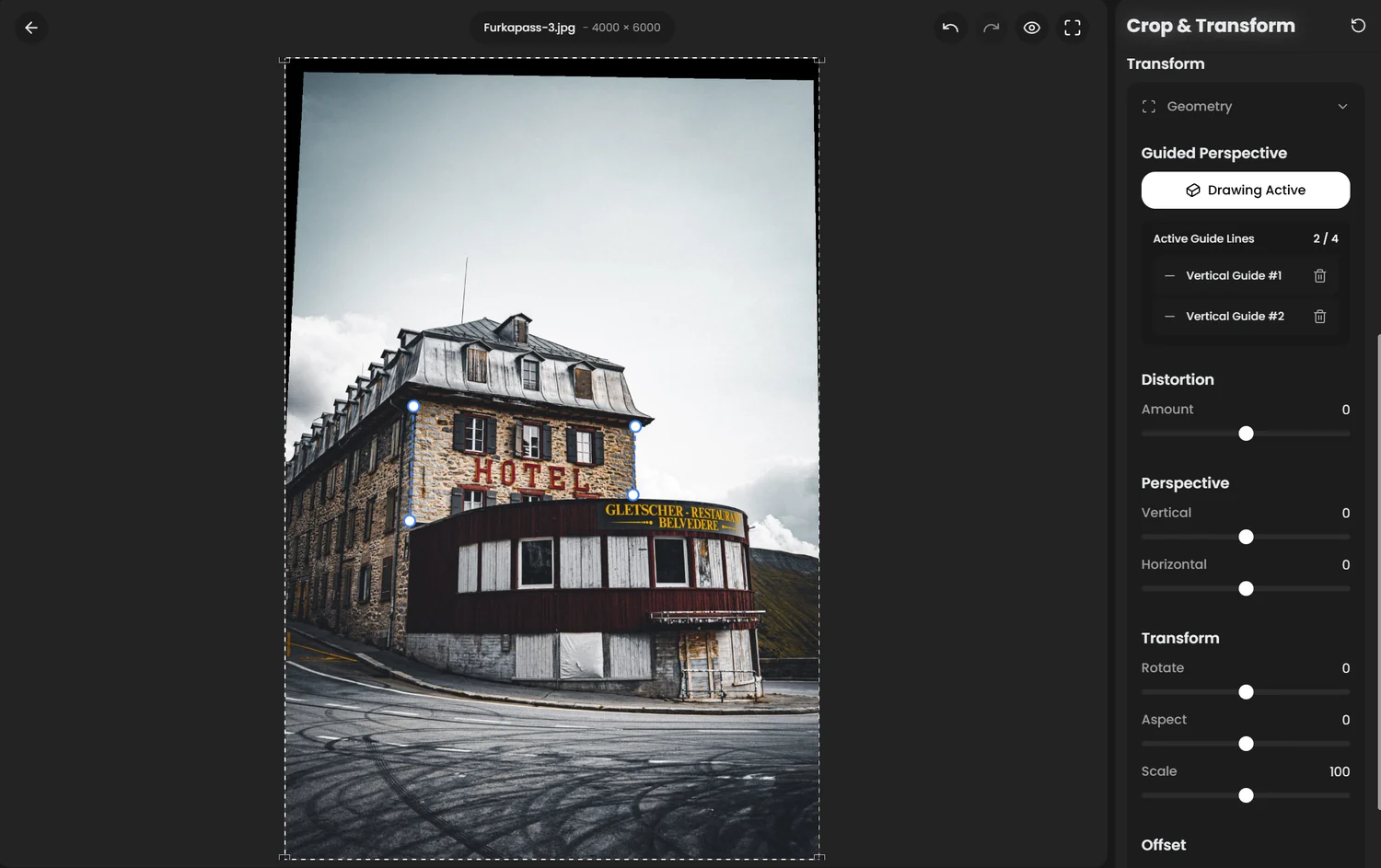
You draw up to two vertical and two horizontal guides along edges that should be straight. RapidRAW intersects each pair to find its vanishing point, then builds a homography that rotates the vanishing point onto the axis and sends it to infinity, which makes the lines parallel. With one line of each kind, it levels the horizontal and shears the vertical upright.
Results that would flip or fold the image are rejected. The automatic crop is the largest axis-aligned rectangle inside the corrected image, found with a 96x96 search followed by refinement.
Negative conversion
For scanned film negatives:
- Each channel is converted to optical density:
D = −log10(value). - The 0.1% and 99.9% percentiles of each channel set its range, measured with a 12% margin ignored on every side (to skip the film holder and rebate).
- Each channel is normalized to that range and multiplied by its weight (the Red, Green and Blue sliders act as color balance in density space). Normalizing each channel removes the orange mask.
- A logistic S-curve maps density to brightness. Contrast sets its slope and Exposure moves its center.
- Colors are desaturated as they approach clipping, then encoded with a 2.2 gamma.
After conversion, the image is treated like a non-RAW file by the rest of the pipeline.
Auto Adjust
Auto Adjust analyzes the image at 1024 px:
| Setting | Rule |
|---|---|
| Exposure | Moves the median luma toward the middle, but never so far that the 99th percentile clips. |
| Contrast | If the 1% to 99% range is narrow, contrast is raised. |
| Shadows | Lifted if more than 5% of pixels are very dark. |
| Highlights | Lowered if more than 2% of pixels are very bright. |
| Vibrance | Raised for low-saturation images. |
| Clarity, Dehaze | Raised for flat, low-contrast images. |
| Vignette, Centré | Added if the center is brighter than the edges. |
| Blacks, Whites | Set after simulating the above. |
Subtle, Normal and Strong multiply the result by 0.5, 1.0 and 1.5. Auto Adjust does not change white balance.
Culling
Each photo is analyzed at 720 px:
- Sharpness: variance of the Laplacian (edge strength) on the whole image and on the central quarter.
- Exposure: penalty for pixels that are almost black or almost white.
- Score:
0.40 · sharpness + 0.35 · center sharpness + 0.25 · exposure, with sharpness on a log scale. - Similarity: a 16x16 perceptual hash (double gradient). Photos within the similarity threshold (Hamming distance) are grouped, and the highest-scoring photo in each group is suggested as the pick.
Because sharpness is measured on a 720 px version, Auto Cull catches clearly blurred photos well, but can't tell the difference between "tack sharp" and "slightly soft" at 100%.
Panorama
- Features: FAST corners and 256-bit BRIEF descriptors on a copy with a long side of up to 1600 px.
- Matching: nearest neighbour with Lowe's ratio test (0.8).
- Geometry: RANSAC (2500 iterations, 5 px tolerance, at least 15 inliers) estimates a homography for every pair of images.
- Layout: a maximum spanning tree over the pairs (weighted by inliers) connects all images; images that don't connect are left out with a warning.
- Projection: planar (rectilinear). Very wide panoramas get strongly stretched at the sides.
- Seams: for each new image, the best seam through the overlap is found with dynamic programming (the path where the two images differ least), then blended with a 100 px cosine feather. In low-detail areas such as sky, the feather is widened to 500 px to hide differences.
There's no exposure matching between frames, so use manual exposure when shooting. The result is saved as a 32-bit float TIFF.
HDR merge
- Frames are aligned to the middle exposure: features are matched as for panoramas, and a rigid transform (rotation and shift) is fitted.
- Each frame is divided by its exposure time and ISO to estimate scene radiance, then the frames are averaged, weighted by their share of the total exposure time (longer exposures have less noise).
- The result is normalized to 0 to 1 and saved as a 32-bit float TIFF, ready to edit.
Exposure time and ISO must be in the EXIF data. There is no ghost removal for moving objects.
Focus stacking
- Alignment: each frame is aligned to its neighbour with a direct, intensity-based method (Lucas–Kanade with Levenberg–Marquardt), coarse to fine, from translation up to an affine model with radial and polynomial distortion. This handles focus breathing (the magnification change when focusing). Brightness differences are corrected too.
- Focus measure: for each frame, the local energy in each band of a Laplacian pyramid shows how sharp it is.
- Decision: the sharpest frame per pixel is chosen, cleaned up with a guided filter and a weighted median, and penalized where a frame's brightness differs from the others (to avoid halos and ghosting).
- Fusion: frames are blended in a Laplacian pyramid, with sharp selection for fine detail and soft blending for large-scale tones.
- The result is cropped to the area covered by all frames and saved as a 16-bit TIFF, together with a depth map.
Export
- The full-resolution image is processed: geometry, retouch patches, AI effects, then the GPU render (16-bit for 16-bit TIFF, 8-bit otherwise).
- Resize with Lanczos3. There is no extra output sharpening; adjust Sharpness if you downscale a lot.
- Border and watermark are added.
- The file is encoded and metadata is written.
| Format | Notes | sRGB profile | Metadata |
|---|---|---|---|
| JPEG | 8-bit, quality setting | yes | yes |
| PNG | 8 or 16-bit | yes | yes |
| TIFF | 8 or 16-bit | no | no |
| WebP | lossy, quality setting | no | yes |
| JPEG XL | quality setting, 100 = lossless | no | no |
| AVIF | default encoder quality | no | no |
All exports are sRGB. Metadata includes EXIF (GPS can be removed), your rating, color label and tags as XMP.
LUT export renders a 33x33x33 grid through your edit and saves it as a .cube file. Effects that depend on neighbouring pixels (sharpening, noise reduction, clarity, structure, dehaze, glow, halation, flares, grain, vignette, chromatic aberration) and masks can't be stored in a LUT, so they are left out.