 RapidRAW
Detail & Effects
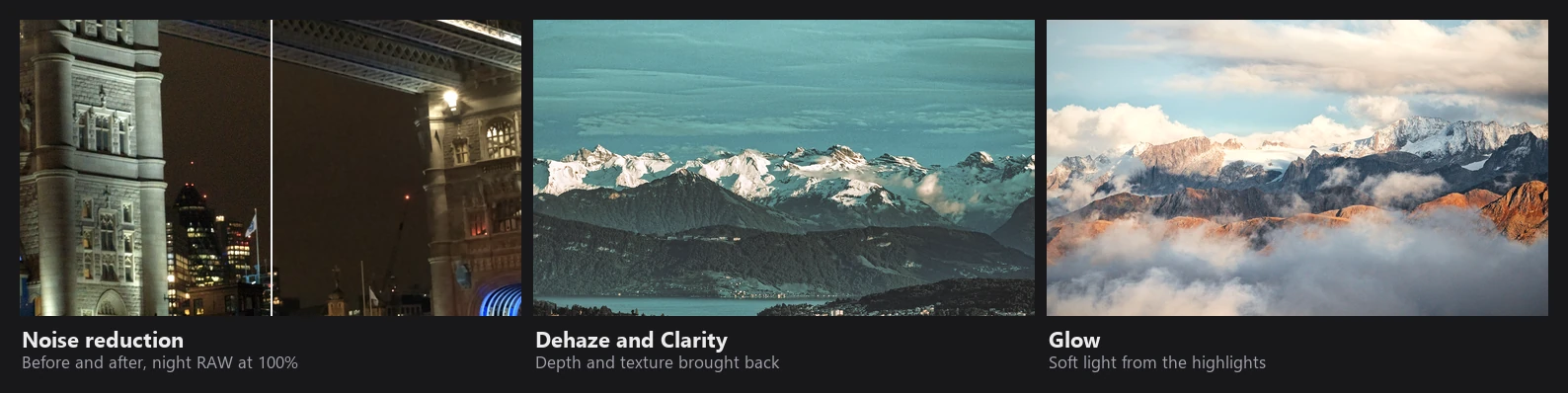
These tools run in the GPU shader before Exposure (see the order of operations). Clarity, Structure and Dehaze use helper textures that are computed once per photo on a grid with a short side of at most 1080 px, so they look the same in the preview and in a full-size export.
Noise reduction
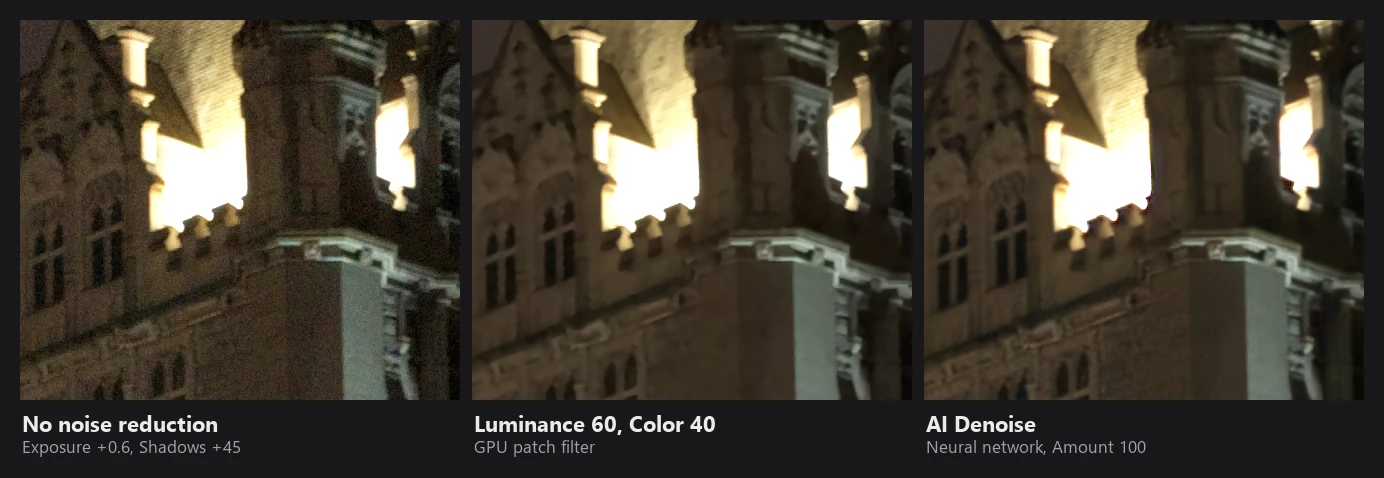
The Luminance and Color sliders in the Details panel. (AI Denoise is a separate tool, see AI & Masks.)
Variance stabilization. Photon noise grows with brightness, so a filter tuned for shadows would be too weak in highlights. RapidRAW works on the square root of luma, which makes the noise roughly the same everywhere:
p = √(Y + 0.002) − √0.002
Noise is also judged as it will look after Exposure, so an image you brighten by 3 stops gets stronger noise reduction automatically.
Luminance: patch-based (non-local means). For each pixel, RapidRAW compares the 3x3 patch around it with the patches of all neighbours in a 7x7 window. Neighbours whose patch looks similar (within about one noise level) get full weight, others are ignored. This averages noise away while keeping edges, because pixels across an edge have different-looking patches.
σ      = 0.002 + 0.06 · amount^1.3
weight = exp( −max(patch_distance² / (2.7σ²) − 1, 0) − 0.03·r² )
On large images (short side over about 1620 px) a second pass on a half-resolution grid removes coarser, blotchier noise. The slider mostly controls σ; the blend is already at full strength at 20.
Color: guided by luma. Chroma noise is removed with a sparse 37-sample filter that spans up to about 16 px. Its weights depend on luma similarity, on how close each sample's color is to a 5x5 reference, and on distance. It then fits a local linear model of color against luma and predicts the pixel's color from its denoised luma. Real color edges follow luma edges, so they stay sharp; color blotches don't, so they are averaged away.
Sharpening
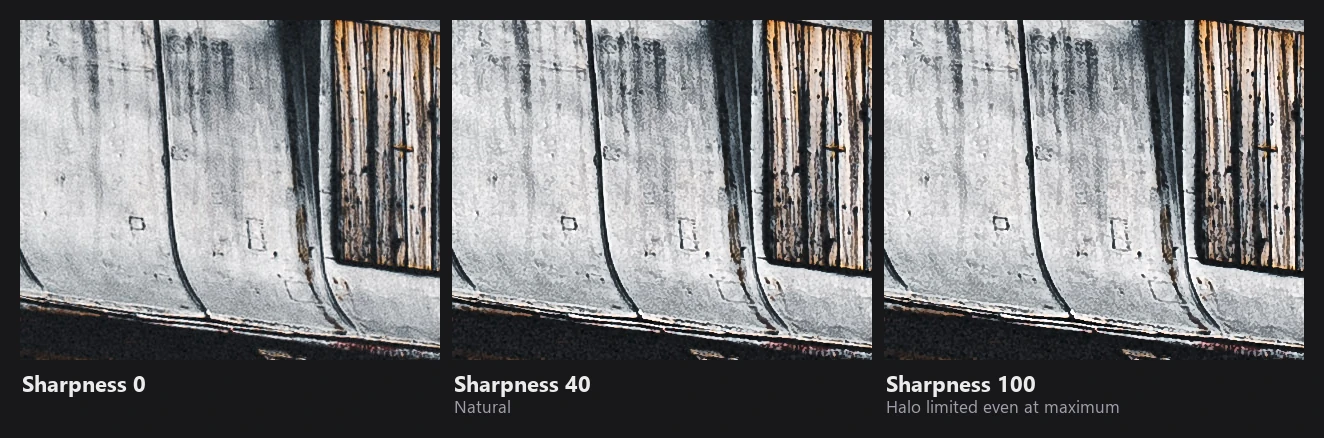
Sharpening is a two-scale unsharp mask on luminance (square-root luma for RAWs):
detail = core(Y − blur_1px) + 0.5 · core(blur_1px − blur_3.5px)
core(d) = d³ / (d² + t²),   t = 0.07 · threshold
- Threshold (coring): detail smaller than
t(noise) is suppressed; larger detail passes almost unchanged. The default threshold of 15 suits most cameras. - Halo limiting: the result is softly limited to the minimum and maximum of the 3x3 neighbourhood, plus a small allowance (15% of the local range for bright overshoot, 5% for dark). Dark halos are reduced by another 30%, because they are the most visible.
- Tone protection: no sharpening in deep shadows (where it would only sharpen noise) and near white.
- Applied as a luminance ratio, so edges don't get colored fringes.
- Negative values blend toward a light blur instead.
The sharpening threshold is global; masks can change the amount only.
Clarity and Structure
Both are local contrast tools based on a guided filter (He et al.) in log2 luminance, measured in stops:
I      = log2(Y)
base   = a·I + b                    edge-preserving smooth version of I
detail = I − base
rgb   *= 2^(gain · amount · shape(detail))
| Radius (at 1080 px) | ε (stops²) | |
|---|---|---|
| Clarity | 8 px | 0.25 |
| Structure | 40 px | 0.5 |
- The guided filter keeps edges whose contrast is much larger than ε intact in the base, so strong edges get no detail boost and no halos.
shape(d) = d / (1 + (d/σ)²)limits the boost: small detail is amplified linearly, very large detail not at all. Bright detail is limited sooner (σ 0.8) than dark detail (σ 1.5).- Positive values are multiplied by 1.8, negative by 1.0. Negative values smooth instead.
- Positive values are faded out in near-black areas so noise isn't amplified.
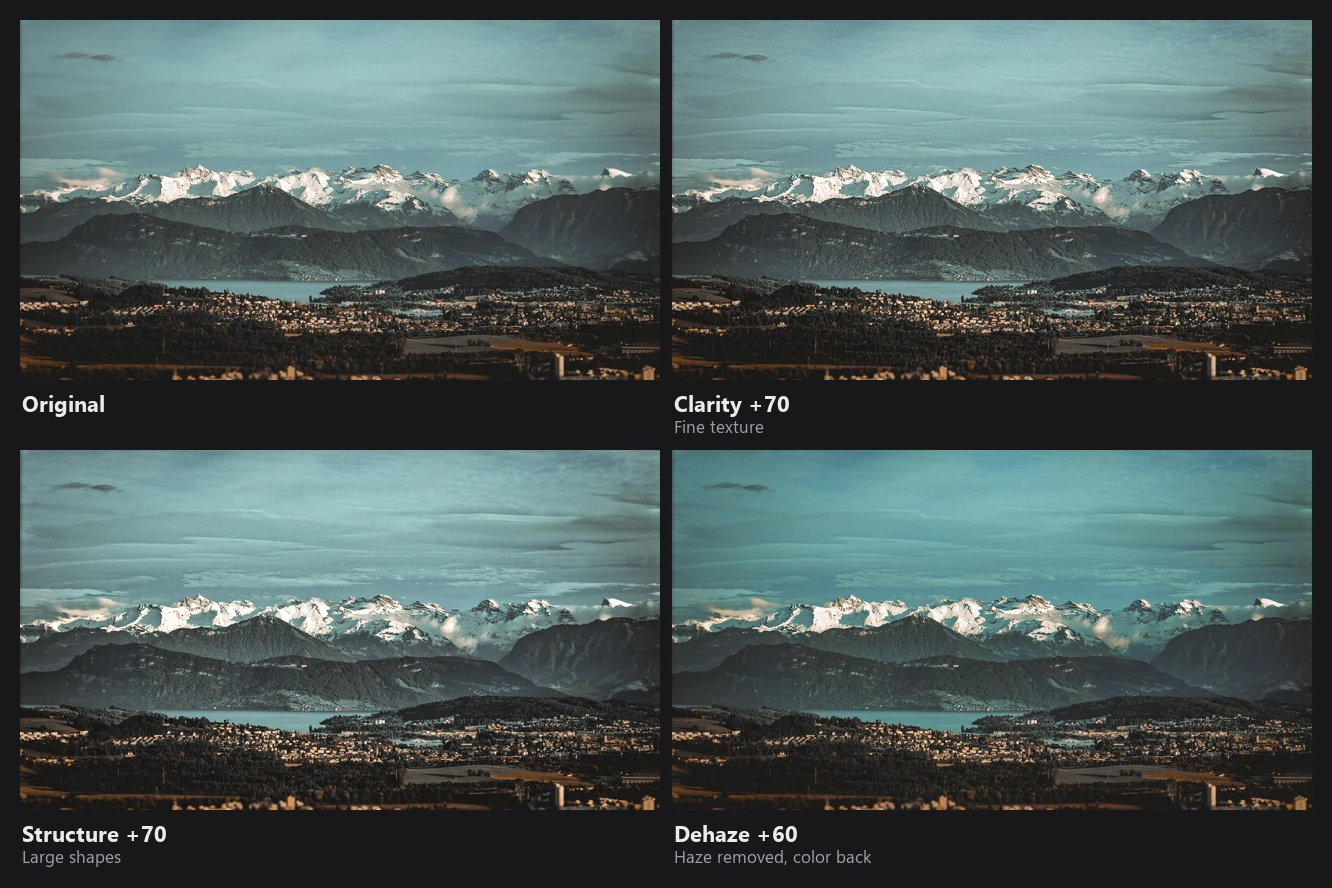
Clarity works at a fine scale (textures, skin, small detail). Structure works at a larger scale (shapes, clouds, terrain).
Centré uses the same clarity term, positive in an ellipse around the chosen center and negative toward the edges, plus a bit of exposure, saturation and vibrance in the center.
Dehaze
Dehaze uses the dark channel prior (He, Sun, Tang): in haze-free outdoor images, most areas have at least one very dark color channel. Haze lifts that dark channel, so it can be used to measure how much haze there is.
- Airlight: the brightest 0.3% of the dark channel in a small version of the image. RapidRAW stores it as neutral grey, which avoids color casts.
- Haze map: the dark channel divided by the airlight, cleaned up with a morphological opening (radius 12 px at 1080) and refined with a guided filter (radius 48), guided by the image's brightness. This gives a smooth haze map that still follows edges.
- Recovery with the scattering model, on the base layer only (formula below).
- Safety limits: a floor on
tstops colors from clipping to black, sky and airlight-colored areas are protected, and saturation can rise by at most 1.45x, to avoid neon colors. - Detail and brightness: local detail gets the same contrast boost as the base. Darkened midtones are lifted back up a little.
The recovery step, with A the airlight and I the hazy image:
strength = 1 − (1 − amount)²
t        = max(1 − strength · 0.95 · haze, 0.1)        transmission
J        = A + (I − A) / t                             only below the airlight
Negative Dehaze blends in a "mist" tinted with the average color of the scene, thicker where the haze map is already high.
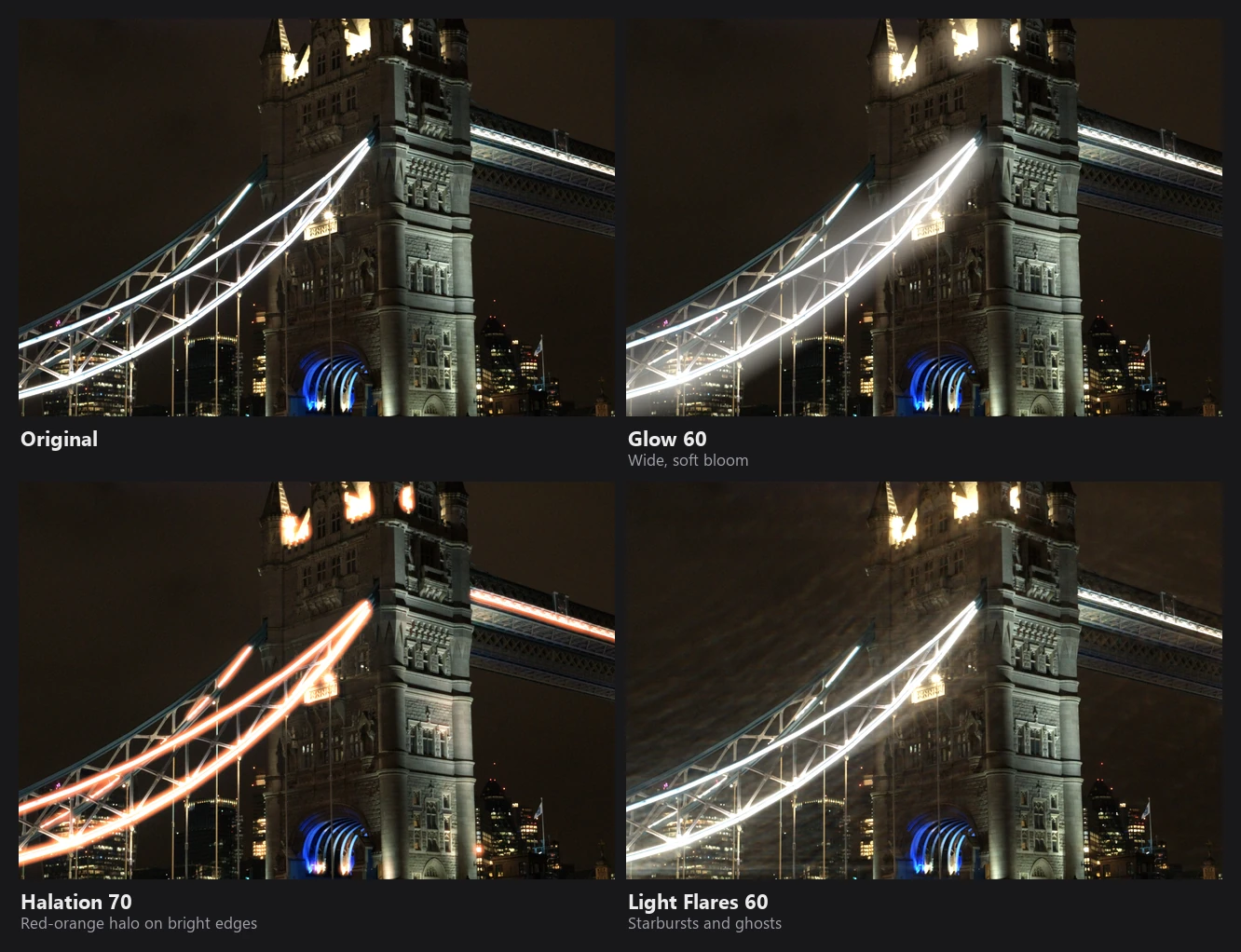
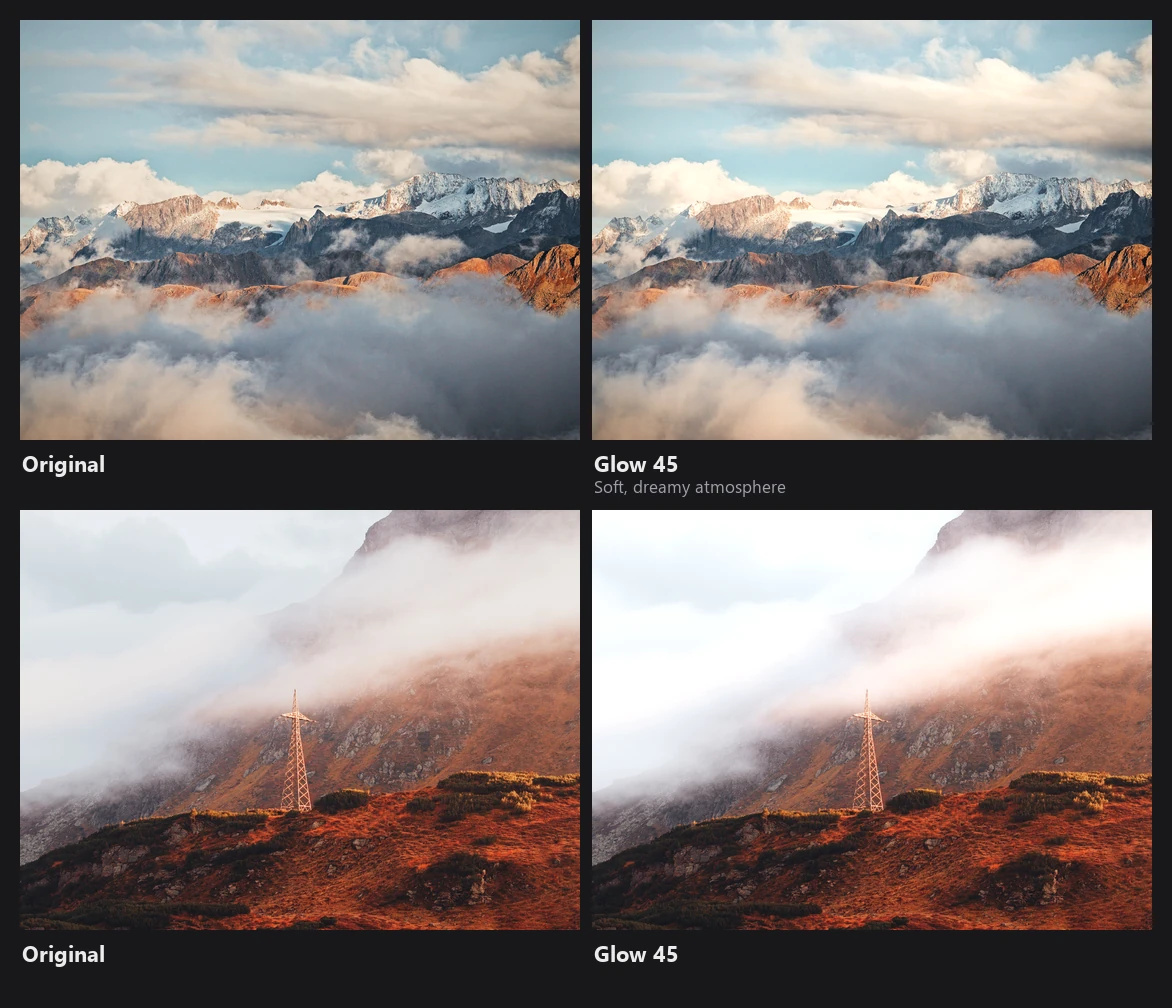
Glow, Halation and Light Flares
All three add light in linear space, before white balance and tone mapping, so they behave like real light. Their thresholds are measured on a perceptual (gamma 2.2) luminance after your Exposure, Brightness and Whites, so they follow your edit.
Glow (bloom) uses a large blur (radius 40 at 1080 px):
cutoff    = mix(0.75, 0.08, amount)              more glow → more of the image glows
intensity = smoothstep(0, 1, (L − cutoff) / 5.5)^0.45
glow      = blurred color · warm tint (1.03, 1.0, 0.97) · L^0.6
rgb      += glow · amount · 3.8                  less on pixels that are already very bright
Halation imitates the red glow around bright lights on film (light bouncing back off the film base). It uses a smaller blur (radius 8), starts above a threshold between 0.85 and 0.10, and is tinted orange at the fringe and deep red at the core. Affected pixels are slightly desaturated and lowered in contrast, as on film.
Light Flares are generated on a 512x512 map from the brightest parts of the image (soft-knee threshold between 0.88 and 0.50):
- a 6-spike starburst with slight chromatic spread;
- iris rings with a hexagonal aperture shape;
- seven ghosts mirrored through the center;
- three halo rings;
- a horizontal anamorphic streak.
The flare is then added to the image, fading out over already bright areas. The flare map is only created when the global Light Flares amount is above 0.
Chromatic Aberration
The manual sliders scale the red or blue channel by up to ±1% around the image center. Lens profile corrections are a separate, more accurate step on the CPU (see Geometry, Merging & Export).